CASE STUDY
Timeline :
Nov 25 - Jan 26
Platform :
Web application
Role :
Product designer
Industry :
Product management tool
Introduction
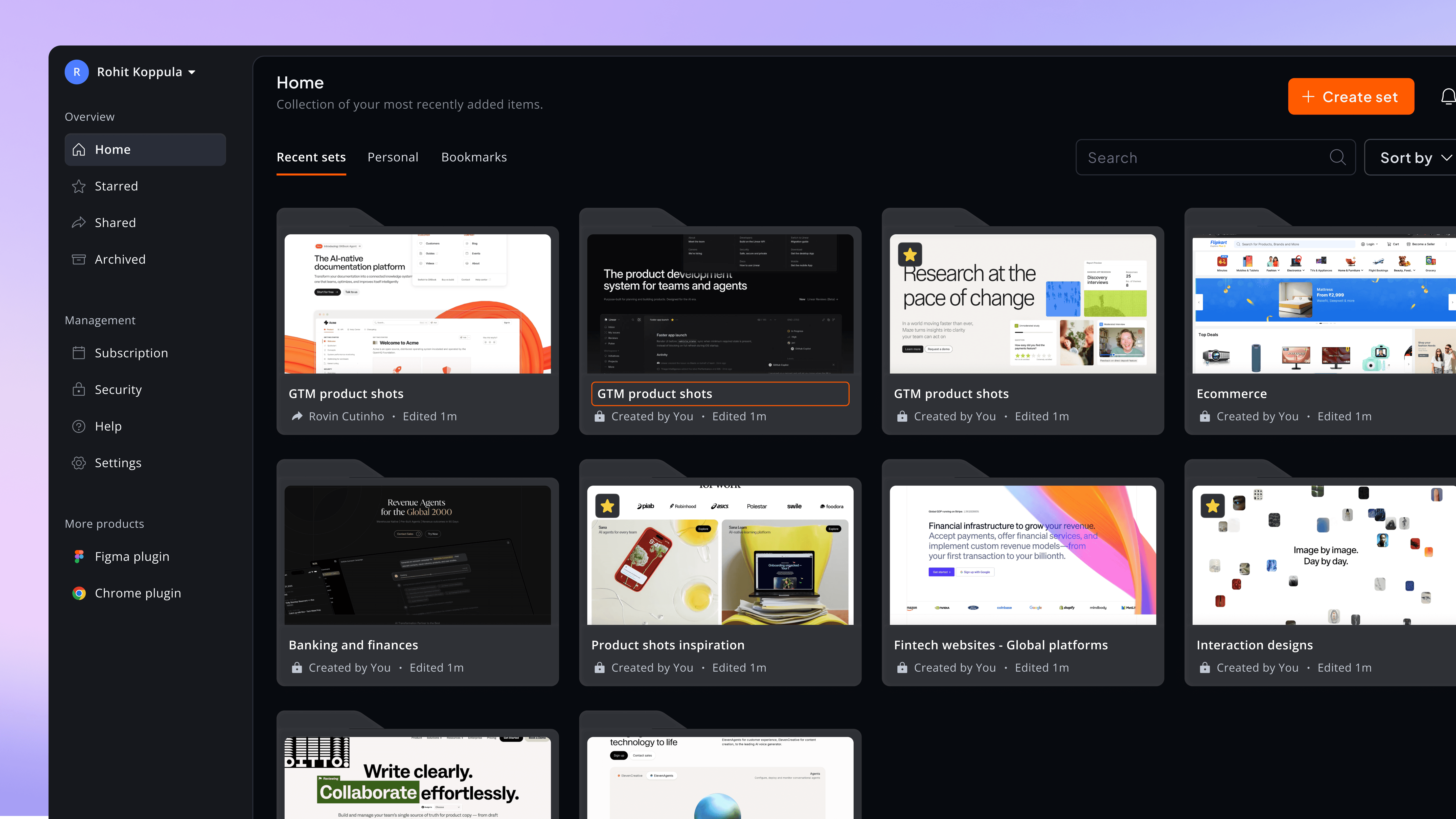
Since we were redesigning the chrome plugin, we also took the opportunity to revamp the dashboard screens. The existing dashboards had been built with minimal effort from both design and engineering, making them a good fit for improvement.
Focusing on key parts of the product.
#1
Set screen
#2
View screen
Prototype:
Cassini dashboard

Prototype - Built using Claude Code
Storyboard
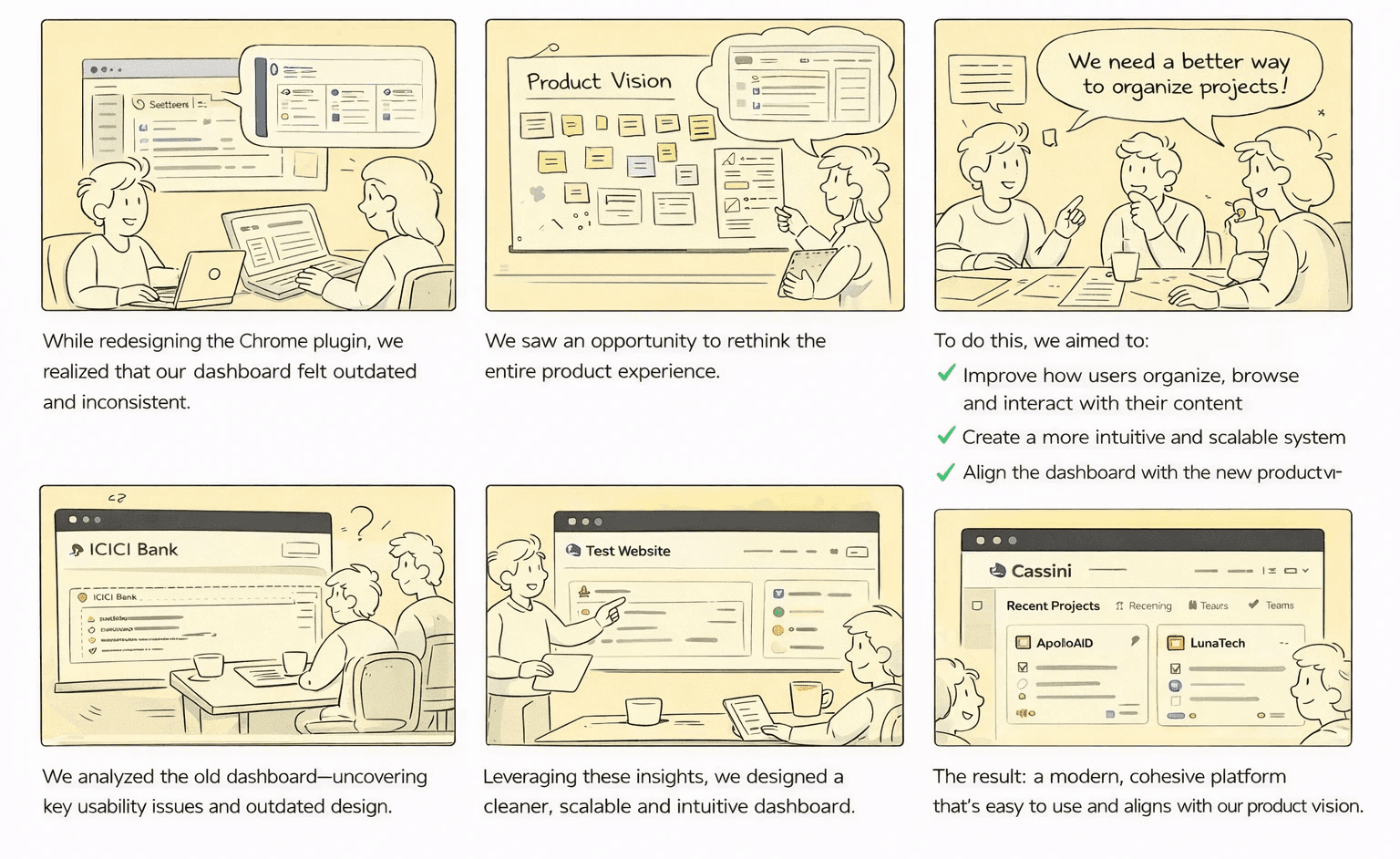
PROBLEM STATEMENT
Key Insights
#1
The dashboard is a decision-making surface, not a browsing page. If items on visible, users will ignore.
#2
Core content was getting ignored, as the old design was pushing attention on multiple spots.
#3
We had a lot of features but it was unclear that why we have these features.
#4
Mismatch between plugin and dashboard, user expect a consistent experience all across the platform
Core problems
#1
Poor content hierarchy, everything competes for attention.
#2
Broken content scannability. Cards don’t scale properly across screens.
#3
Confusing workflows due to misleading copy making users feel lost and unsure.
#4
Lacked consistency across products, dashboard doesn’t align with chrome plugin experience
Goals alignment
BUSINESS GOALS
Encourage users to interact with their added sets frequently by making content easier to browse.
Improve activation, users actually create sets
Reduce friction in the set creation flow so new users can quickly experience the product’s core value.
USER GOALS
Quickly scan and identify the right set
Help users to grasp key information in a glance, so they choose the right set without opening multiple sets.
Minimizing confusion and unnecessary steps for key actions like creating set, uploading or adding links..
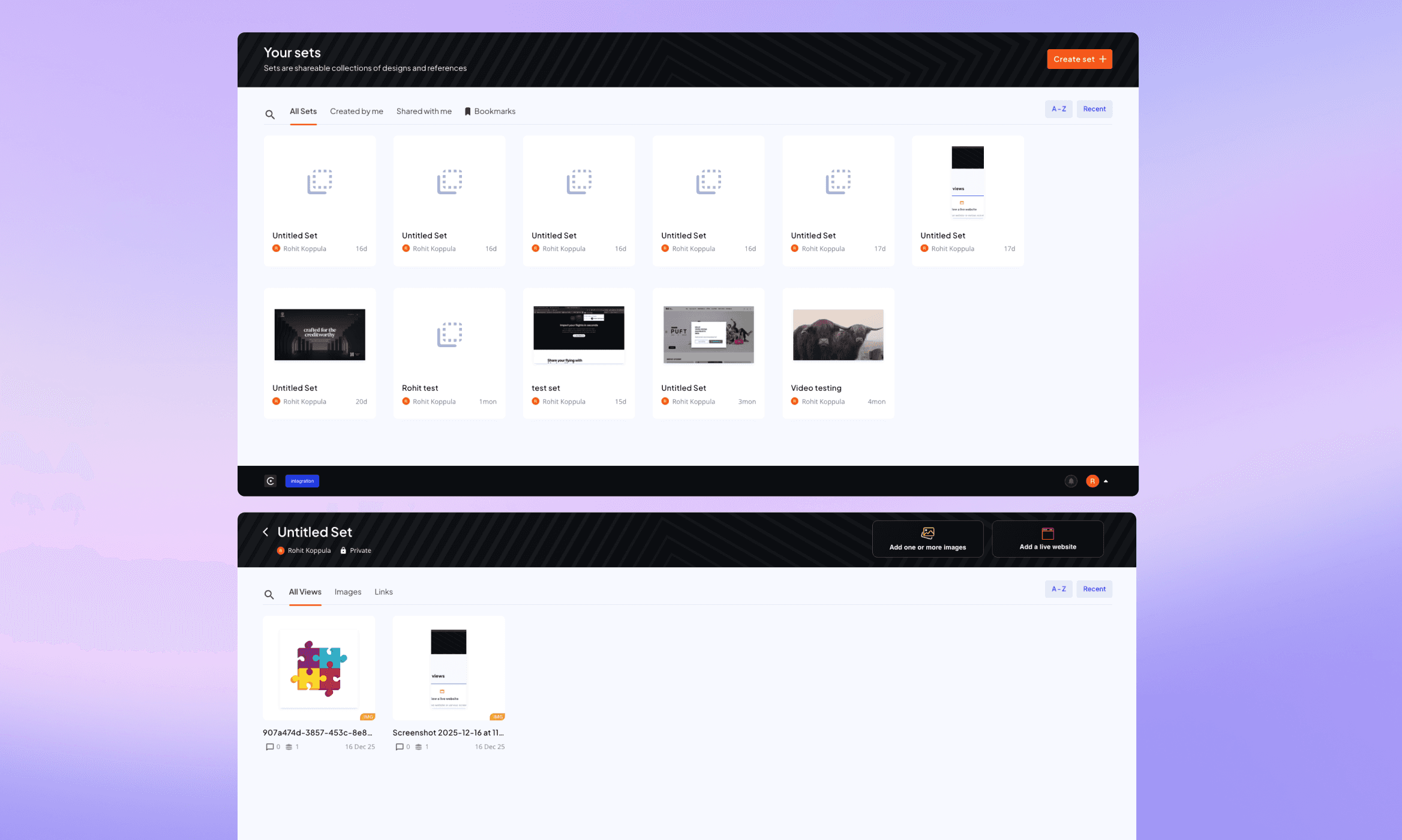
Old screens of Cassini dashboard
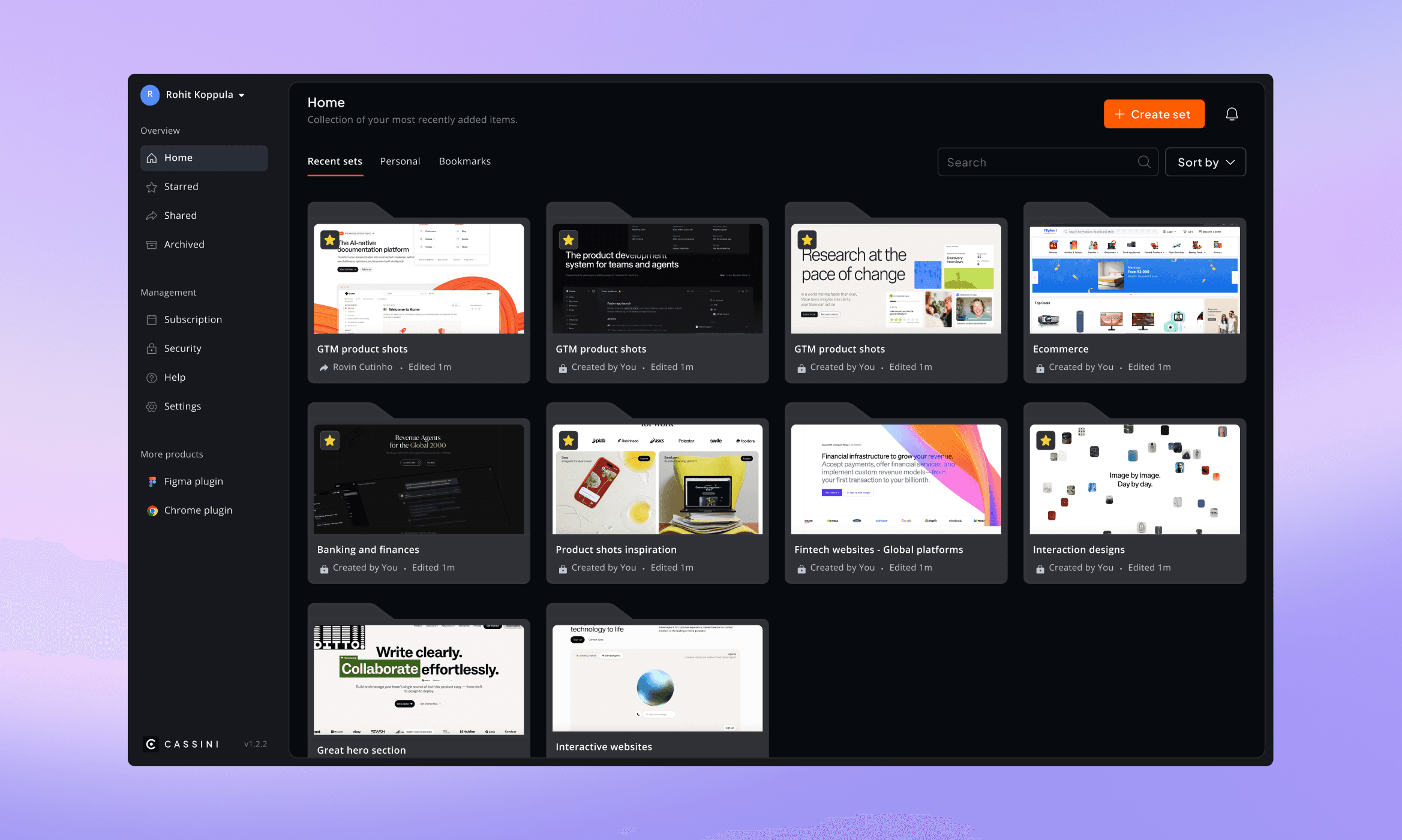
Dashboard - New
Simplified structure & visual grouping
Expected
To make browsing and managing set significantly faster.
Introducting a clearer hierarchy & consistent
Reduced
Cognitive load, especially for new users.
Added contextually key actions
Improved
Task completion and overall efficiency.
Built orbit design system
Made it easier
To add new features without increasing complexity for designers & engineers.
Process
01.
Initial thoughts of overall experience
Used the product firsthand to evaluate the experience and identify surface-level issues, uncovering areas that felt confusing or frustrating.
02.
Went a level deeper by mapping all dashboard screens in Figjam to uncover issues across usability, flows, content, hierarchy, accessibility and interactions.
03.
Shaping the core components
The goal was simple: help users understand what’s important at a glance and act on it quickly. This was achieved through multiple iterations of the set and view card designs.
Focusing on key parts of the product.
#1
Set card
#2
View card
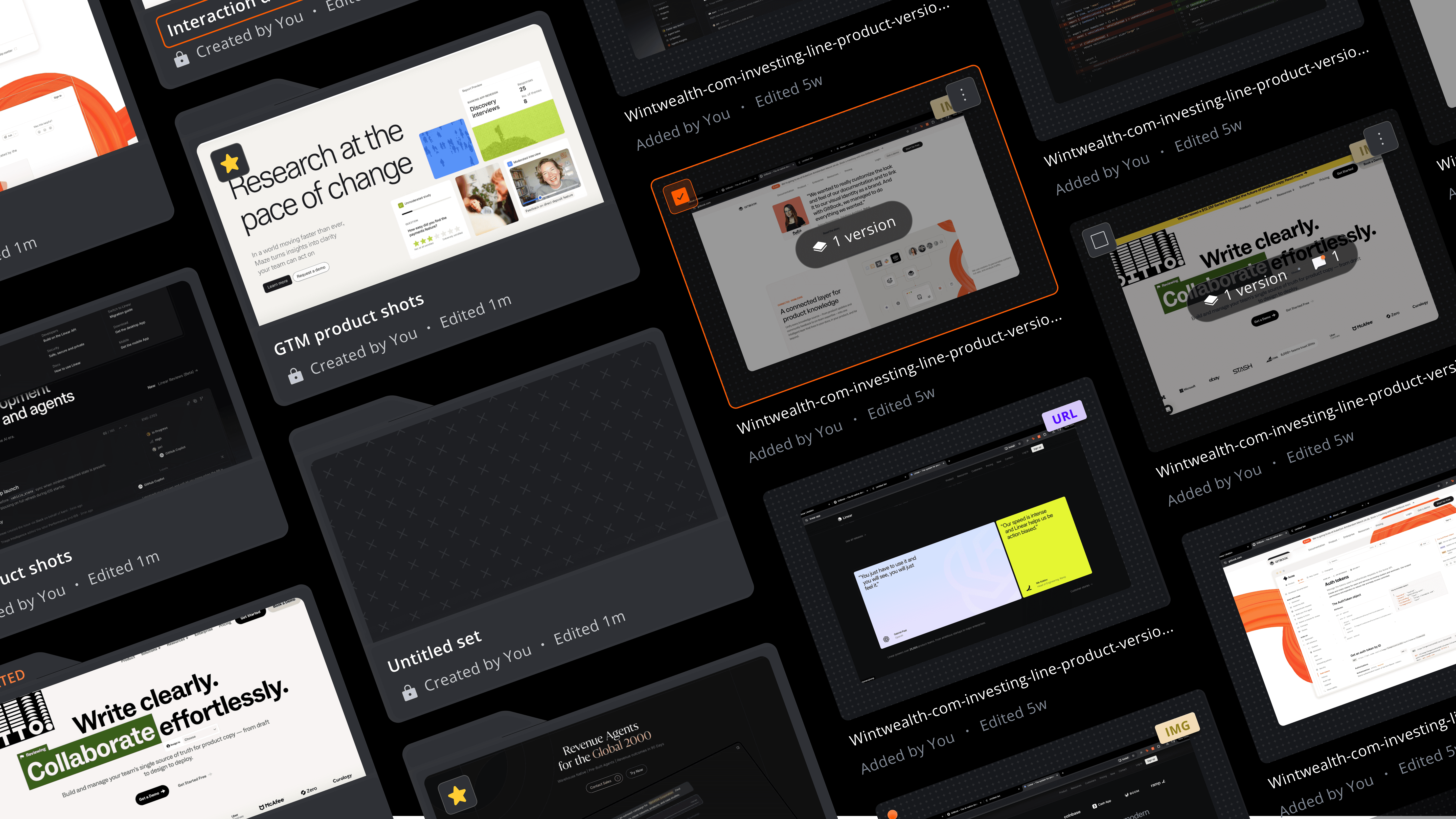
Problems with set and view cards
Inconsistent layouts and weak hierarchy made it difficult to quickly scan multiple cards and identify the right one.
Thumbnails didn’t provide enough clarity, especially for zoomed in images, making it hard to recognize content.
Important information was either missing, repetitive, or poorly prioritized.
The layout didn’t scale well when multiple cards were displayed, excessive spacing due to scaling for wider screens,
Visual noise made it difficult to focus on what mattered.
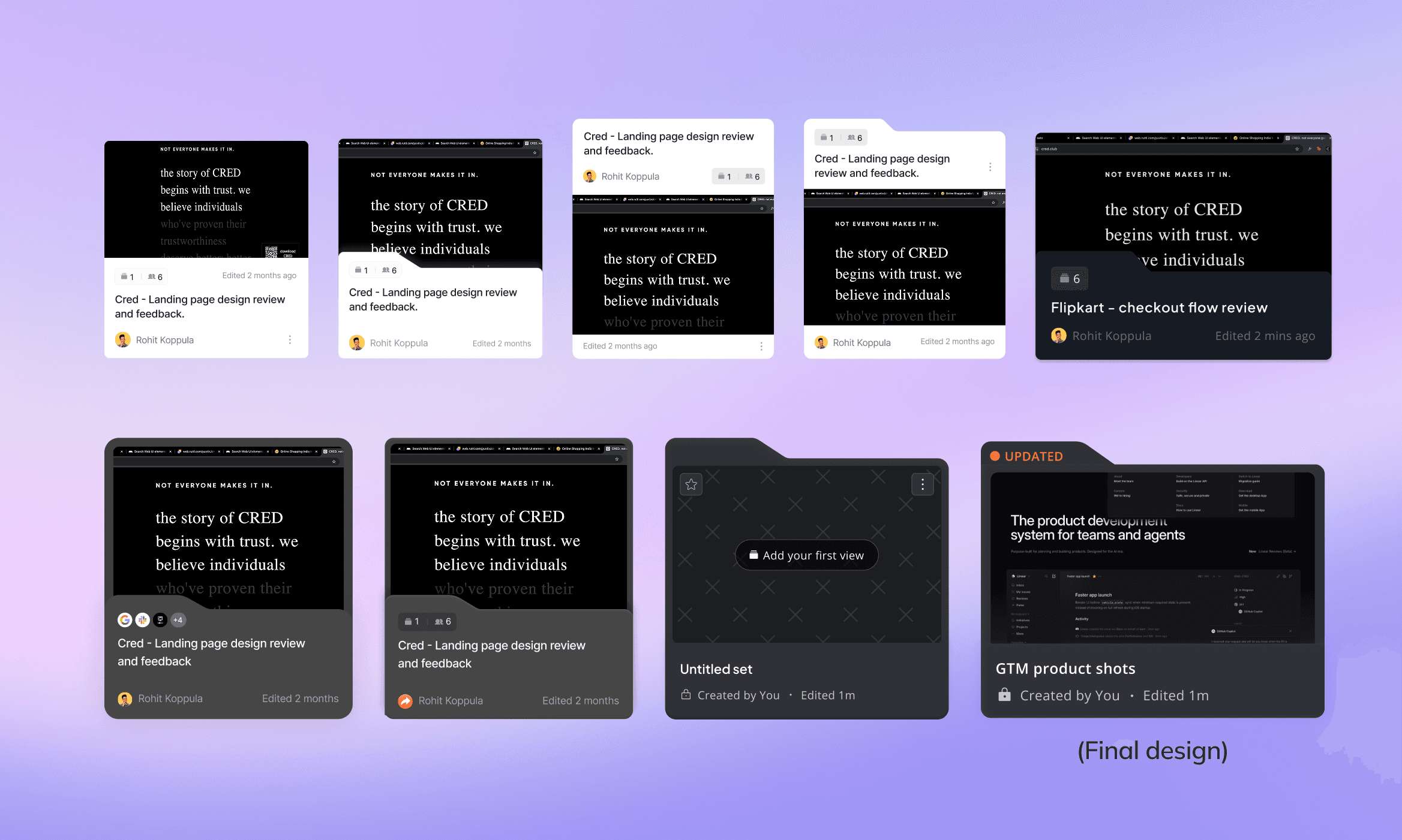
Solutions implemented
Designing for scalability and balance
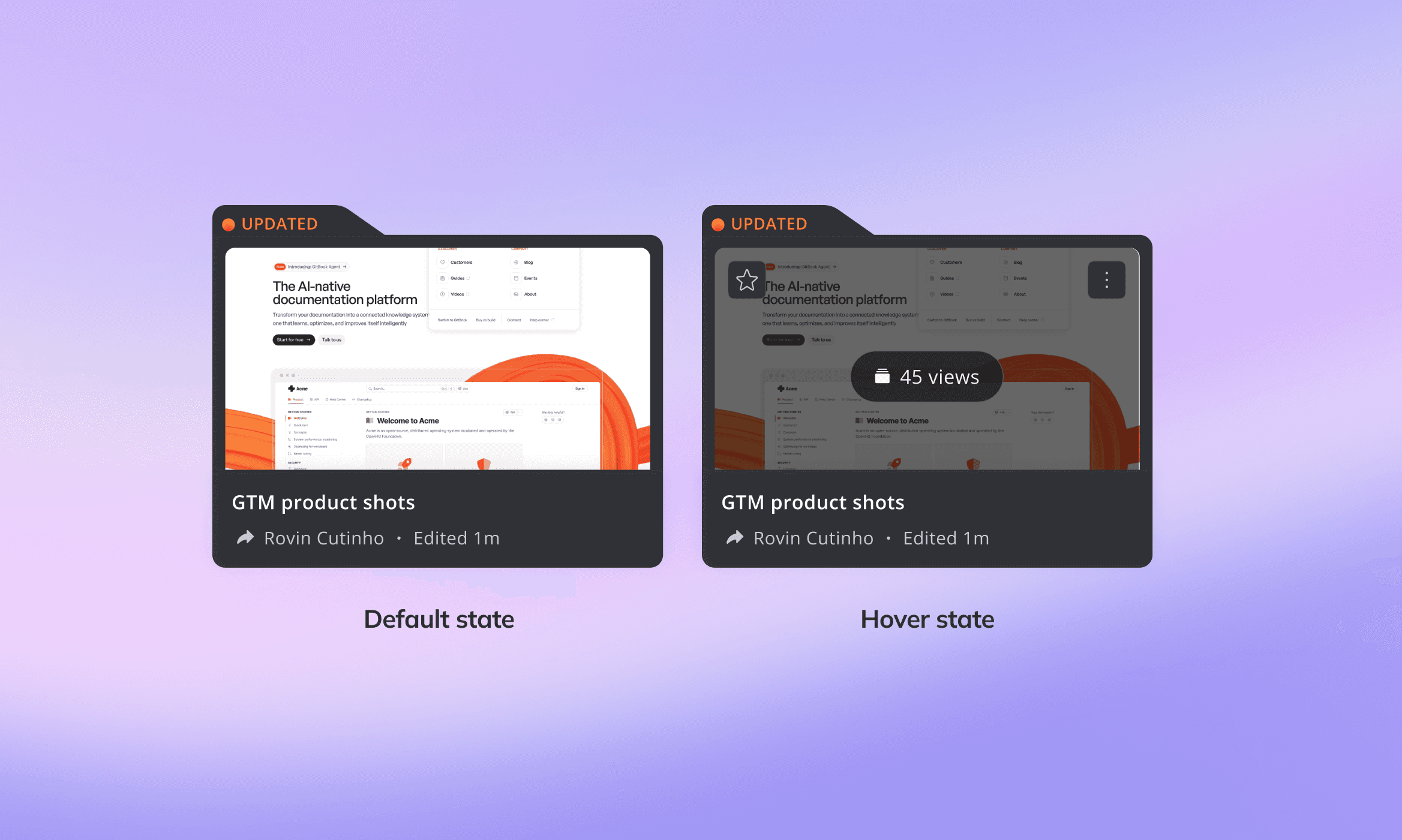
Stronger visual context
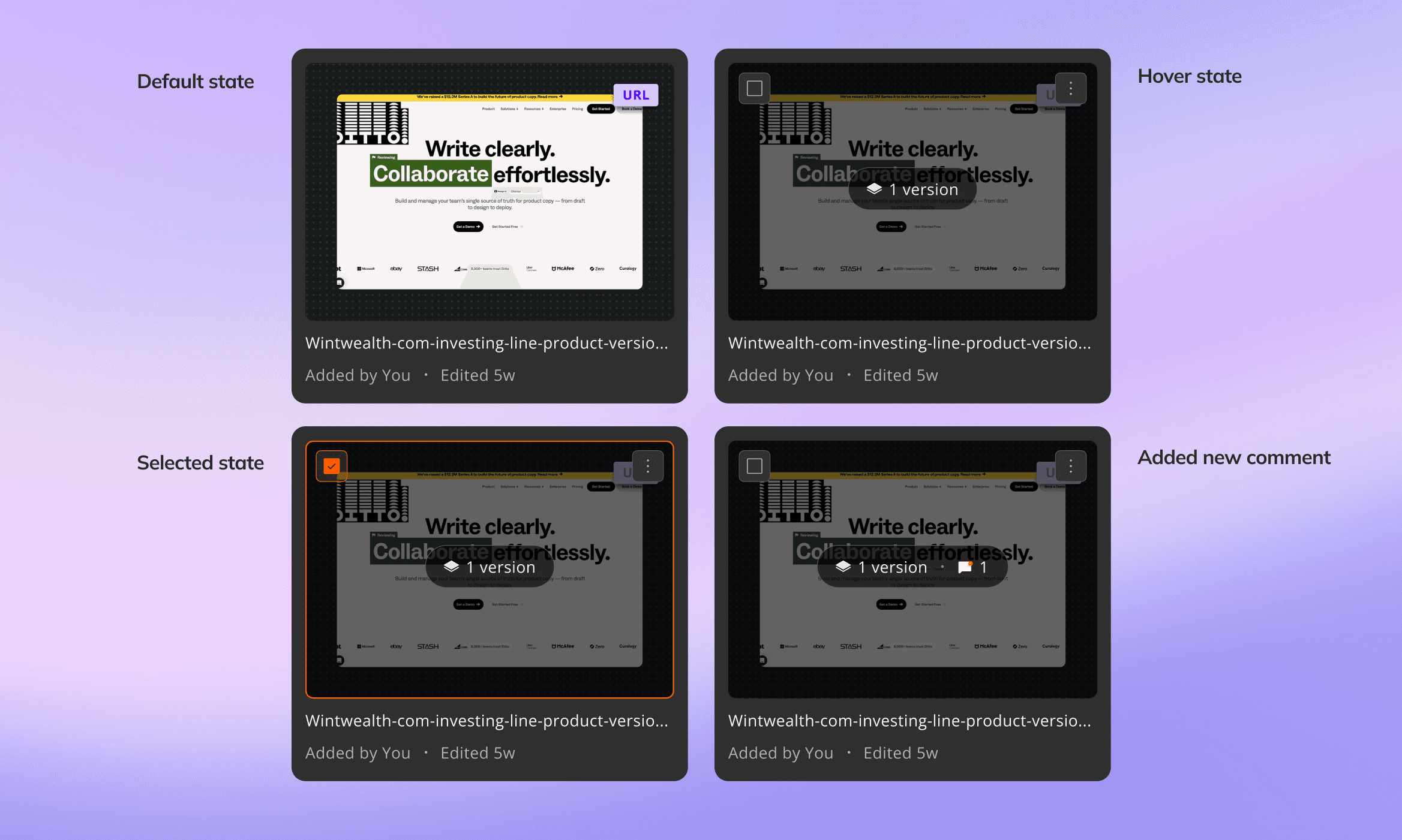
Layout - Set & view page, side navigation
The Set page offers a quick, scannable overview of grouped content, while the View page allows users to explore and act on items without losing context. A minimal side navigation ensures seamless and intuitive movement across the product.
Problems with set & view page
The old design didn’t have a navigation system, made it harder to move across different sections.
The layout wasn’t designed to accommodate new features or sections, making future expansion difficult without breaking the experience.
Important elements were crammed into the top, while large empty areas reduced effective use of space.
Other offerings like the chrome plugin and figma plugin were not visible, limiting user awareness of the ecosystem.
Key actions and content were not clearly structured, leading to confusion and inefficient workflows.
Set and view screens
Solutions implemented
Introduced a Persistent Side Navigation
Designed for scalability
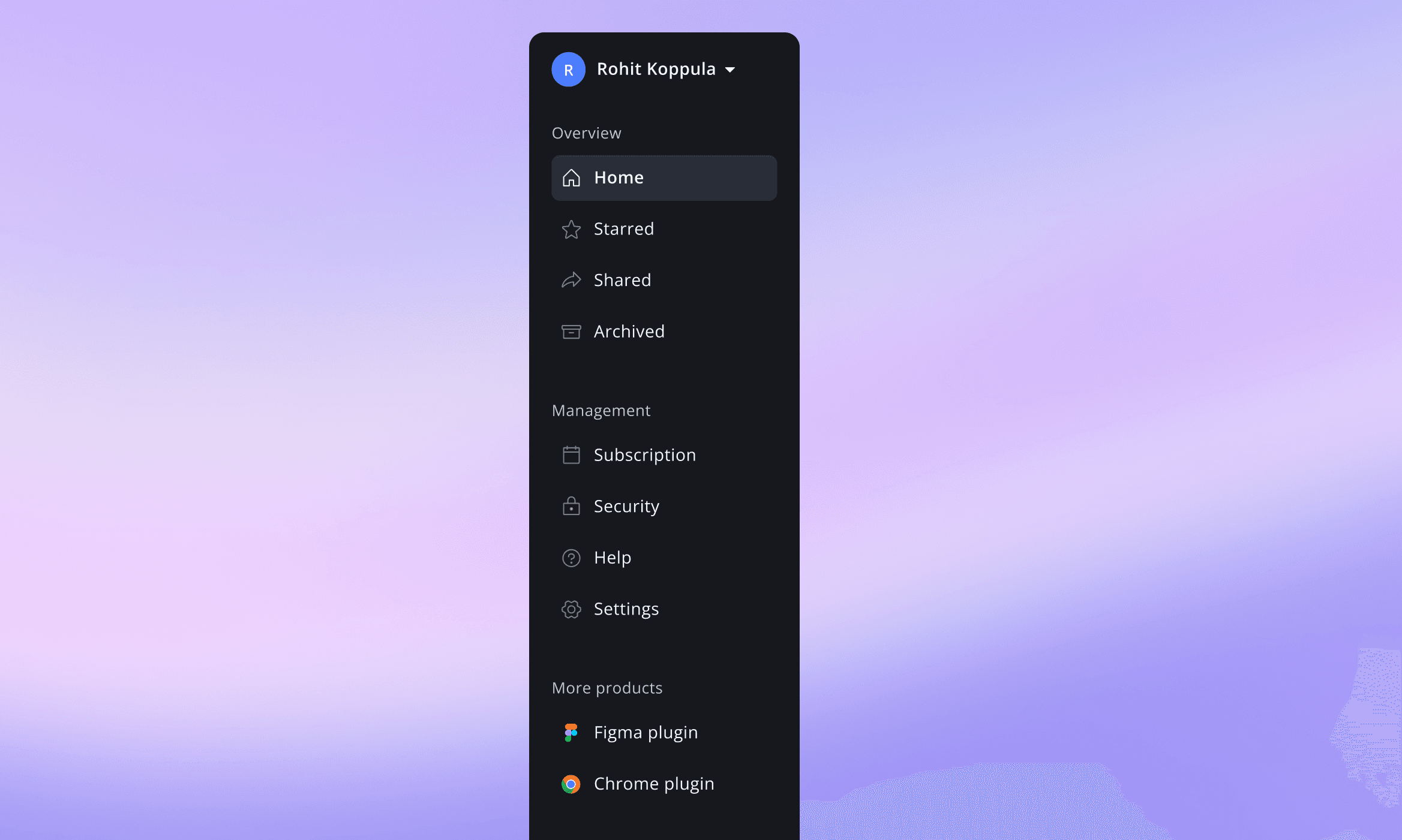
Side navigation
Enhanced Product Discoverability
Key Flows - Create a set
"Creating a set" is simple, upload images or add links to group content together and keep everything organised in one place. This allows them to curate and organize information in a way that fits their workflow.
Problems with set and view cards
Both "upload" and "add a link" existed without a clear path. The UI implied upload and URL input too, no distinction between the two modes.
Users focused on the centre and completely missed naming the set before proceeding. It was tucked in a corner.
“Get started by uploading some views” was repeated in both the title and upload card, adding noise without value.
“Add a URL” was labeled without a visible input field, adding an unnecessary extra step.
“Review a live website” overlay surfaced settings upfront, distracting from the core task - viewport sizes, resolution, scaling factor, advanced options.
“Add a URL” implies a live preview, but the system returns a static screenshot—without communicating it, causing confusion.
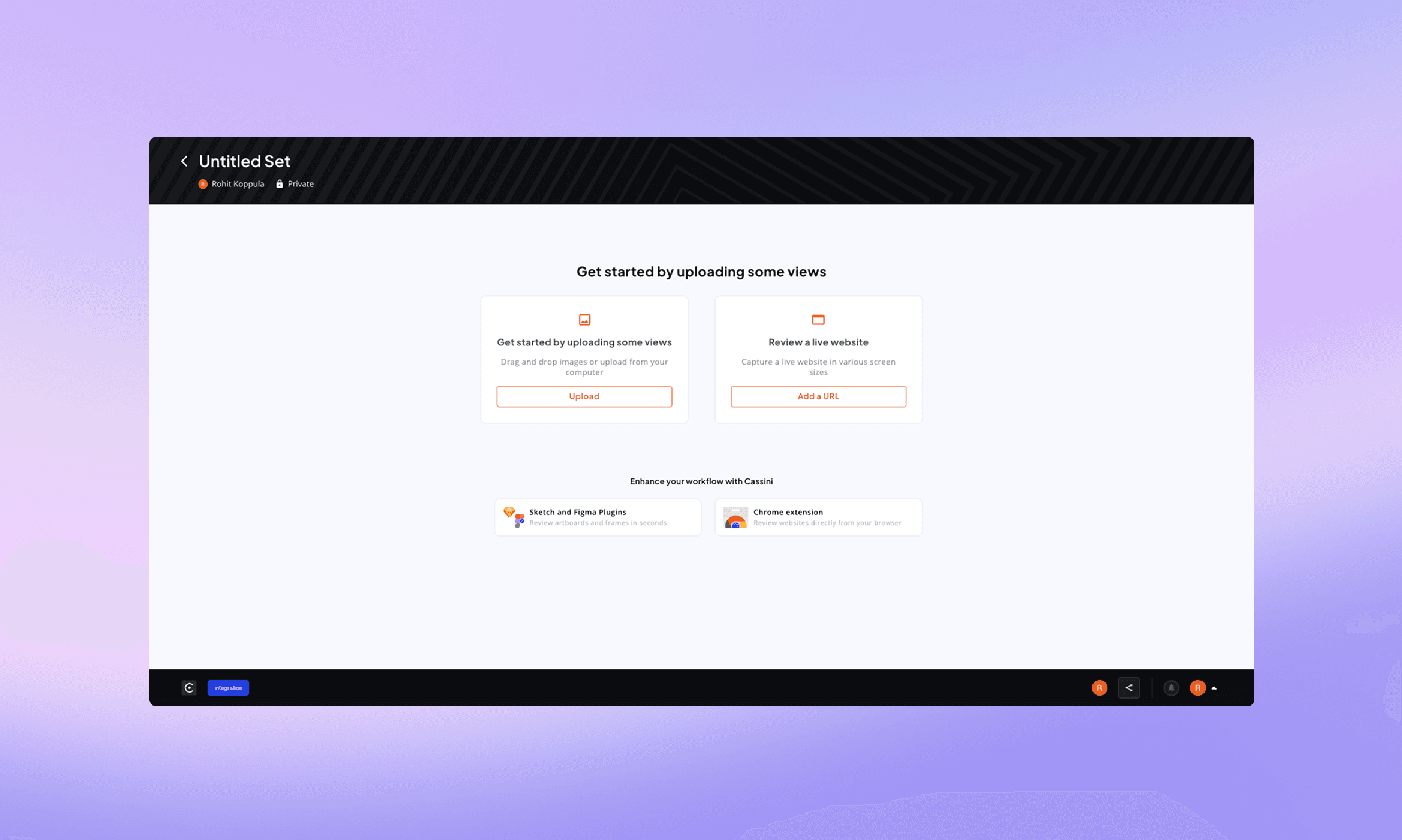
Old designs
Solutions implemented
Tab-based mode selection
Upload designs - Video
Set name surfaced prominently
Integrated, focused layout
Transparent outcome
Add a website link - Video
Enhancements & Features
Based on key usability gaps, we introduced a set of enhancements focused on improving clarity, prioritization, and collaboration. These features help users quickly identify what matters, understand context, and manage their workspace more effectively.
User stories
I want to quickly identify the last set I worked on or sets that need attention, so that I can resume work without wasting time.
I want to easily find and prioritize relevant sets, so that I can focus on what matters most.
I want to understand what actions I can perform in shared sets, so that I can collaborate with confidence.
I want to know what has changed since I last opened a set, so that I can stay updated without opening every set.
I want signals that indicate the importance of a set, so that I can decide whether to act on it or ignore it.
I want to focus only on relevant sets, so that my dashboard stays clean and manageable.
Solutions implemented
Improved Discovery & Prioritization
Introduced a recent tab and relevant sort options to quickly access recently worked sets.
Added starred set, to keep important items easily accessible
Displayed last edited timestamps for better context
Introduced "Updated" tags to highlight recent changes. Helped users quickly answer: "Do I need to act on this?"
GIFs
Clear collaboration & permissions
Added "created by you / Shared by X" icons + tag in set
Introduced permission hints (Editable / view only). Clarified what actions users can perform within a set
Cleaner workspace management
Added archive functionality to remove inactive sets from the main view. Helped users focus on relevant and active work
Improved overall dashboard clarity over time
Working prototype
Prototype - Built using Claude Code
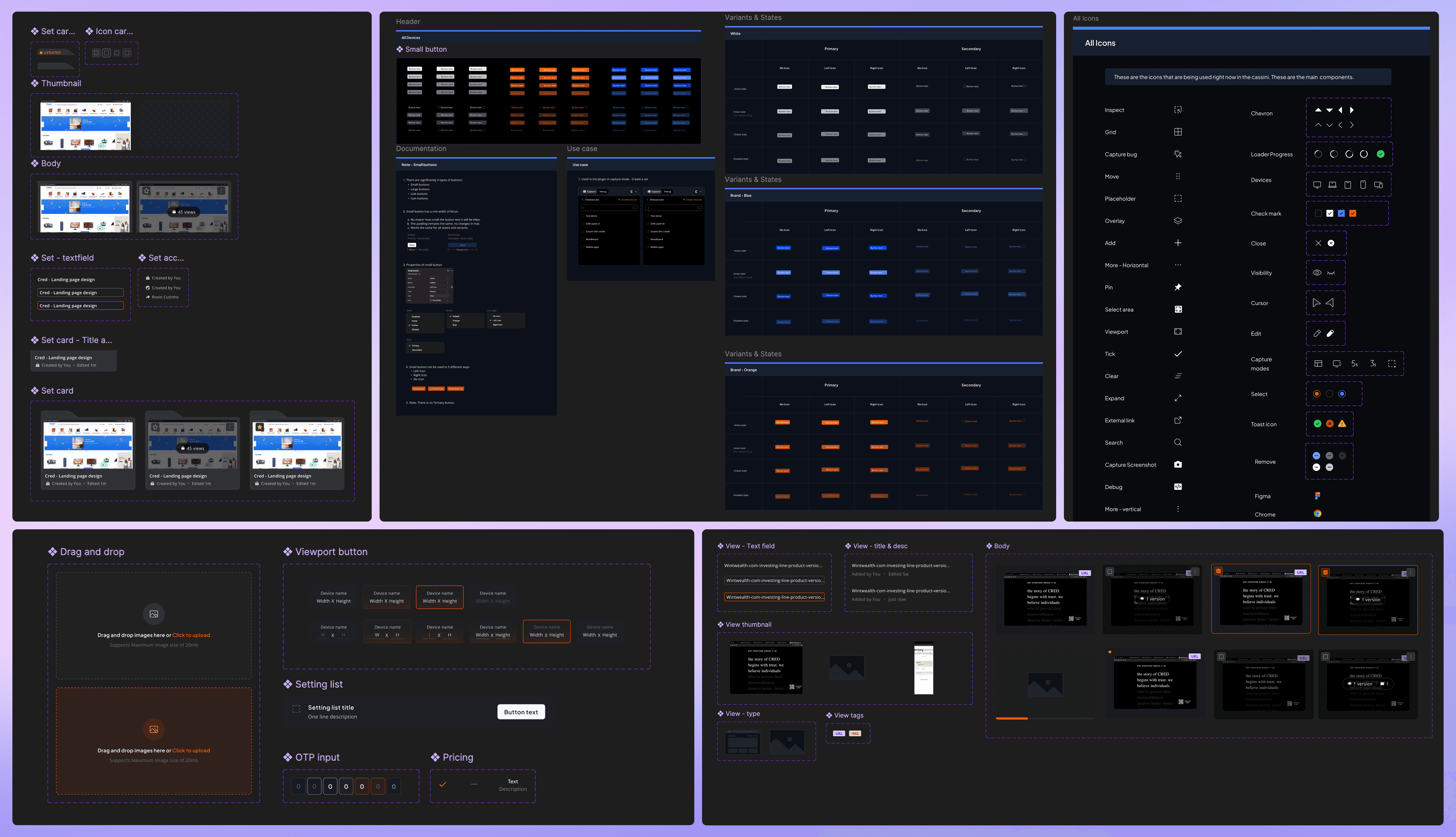
Orbit design system
Since Cassini is inspired by a satellite, we wanted the design system to stay within the same space-themed narrative. The idea of a satellite naturally led us to orbit, which felt like a fitting and intuitive name hence, Orbit design system.
Based on key usability gaps, we introduced a set of enhancements focused on improving clarity, prioritization, and collaboration. These features help users quickly identify what matters, understand context, and manage their workspace more effectively.
What i'd improve
Add more clarity in key moments
Encourage users to use more of the plugin
Key learnings
#1
Users don’t want data, they want meaning: why is this important, how will it help me.
#2
Designing independently doesn’t work. Everything needs to be part of a system.
#3
Design decisions should prioritize: Hierarchy, visual weight, quick recognition. Not make it look pretty.
#4
Scalability should be intentional, just solving today’s problem should not break when the product grows.