CASE STUDY
Timeline :
Nov 25 - Jan 26
Platform :
Web application
Role :
Product designer
Industry :
Finance
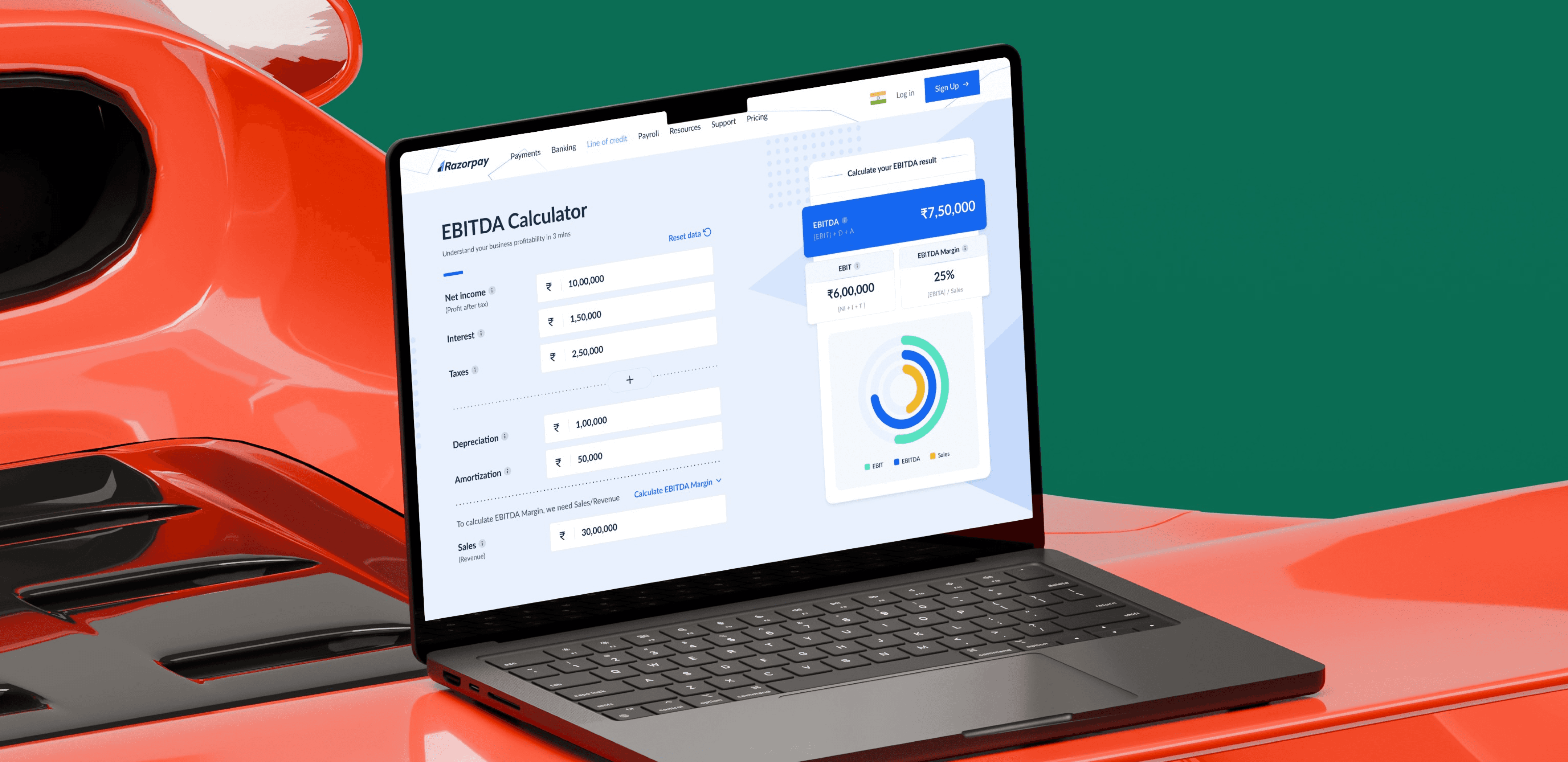
What is EBITDA?
Running a business is not just about making sales, it’s about knowing if you’re actually making money. EBITDA is a simple way to understand this, as it shows how much profit a business makes from its core activities, without getting into financial complexities.
But for many people, calculating this can feel confusing and overwhelming. To make it easier, Razorpay has built a simple EBITDA calculator that helps anyone quickly understand how their business is performing.
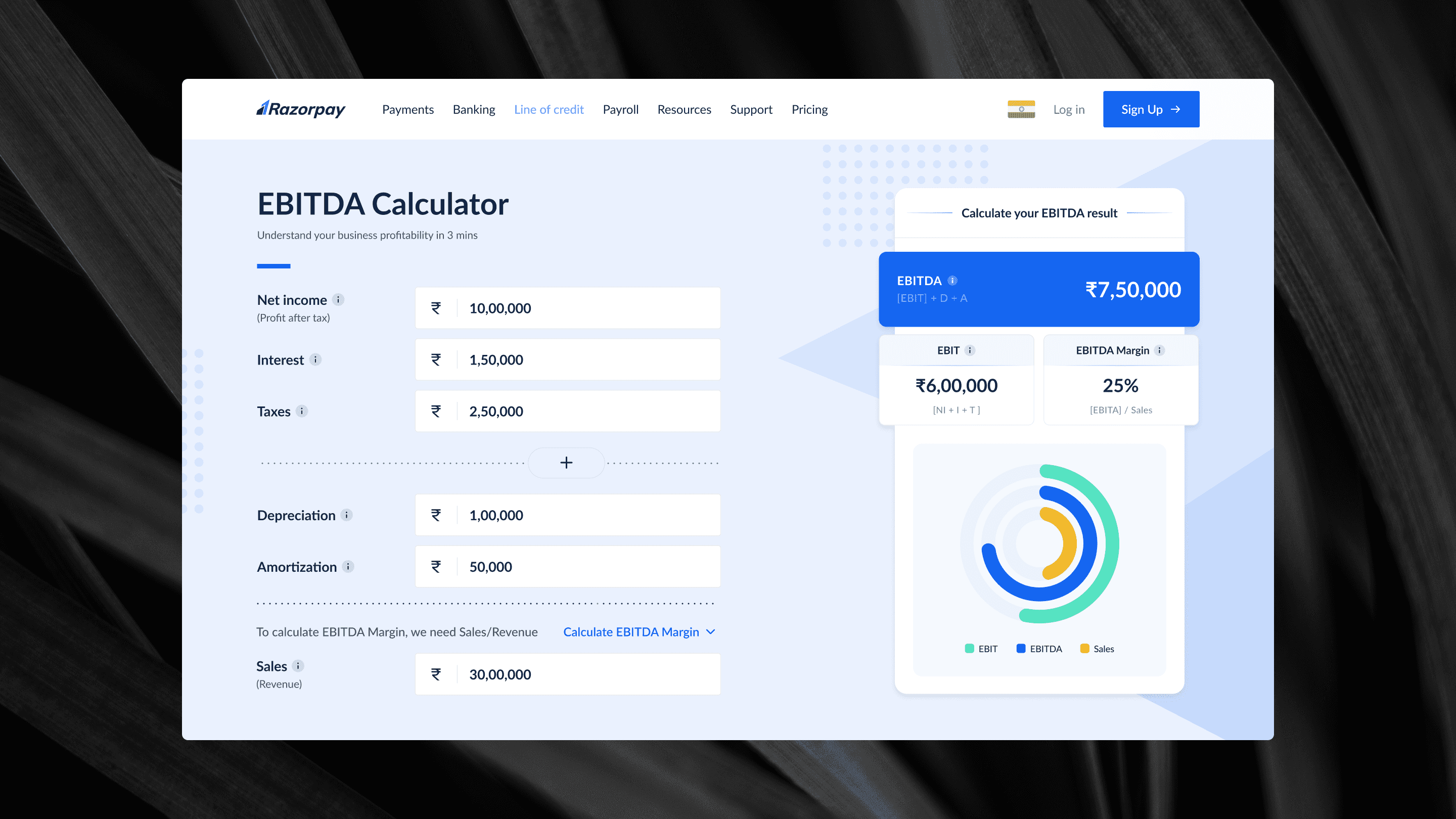
EBITDA calculator
Prototype:
Razorpay dashboard

EBITDA Calculator - Live working product
Storyboard
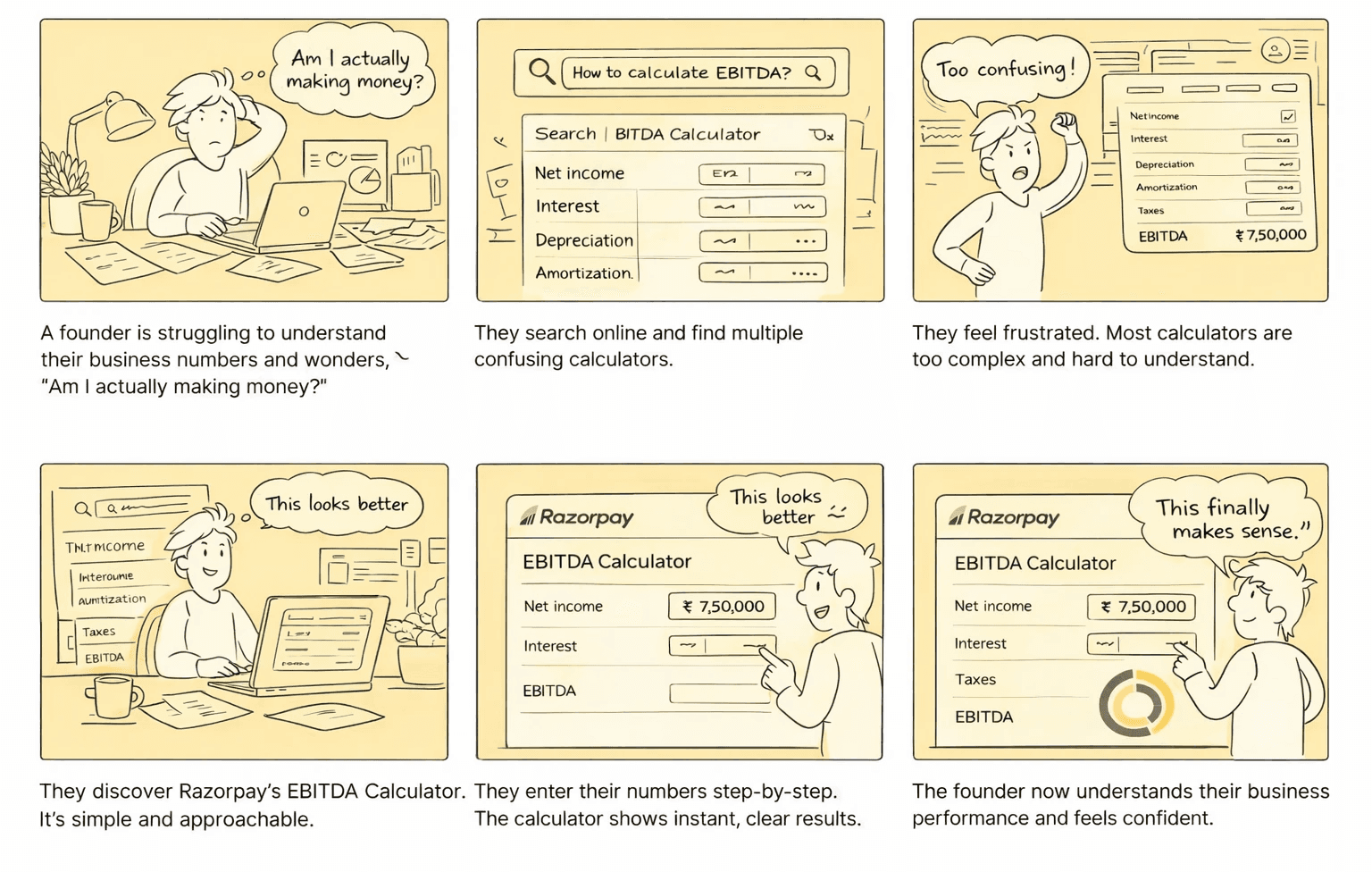
PROBLEM STATEMENT
Key Insights
#1
Users don't care about EBITDA, they care about are they profitable or not
#2
Financial jargon create more anxiety than clarity
#3
Existing tools assume that user's have financial knowledge
Core Problems
#1
Too complex for non-finance users existing tools felt intimidating and unclear
#2
Missed opportunity to capture hight intent users helpful entry point for people searching EBITDA
#3
Lacked clarity and feedback most calculators were static, with no visualization
#3
Overwhelming financial data cluttered numbers with no clear hierarchy
Goals alignment
BUSINESS GOALS
Drive user acquisition
Attract founders and SMBs searching for financial insights through a simple, SEO-friendly tool.
Build trust in financial ecosystem
Position Razorpay as a reliable platform by simplifying complex financial concepts.
USER GOALS
Understand business performance quickly
Help users easily know if their business is making money without needing financial knowledge.
Reduce confusion in financial data
Present inputs and results in a clear, structured way to make numbers easy to understand.
Delivered production ready experience
Stable prod.
For 2 years+ indicating a strong adoption and minimal usability friction.
Improved clarity in complex workflow
15 - 25%
Faster task completion and reduced dependancy on support for key actions.
Consistent patterns across features.
20% efficiency
Helped reduced design inconsistencies and improving development efficiency.
Improved
New users by streamlining key flows, likely improving first-time task success rate.
Process
01.
Understand current usage and business context
02.
Audit existing experiences and identify gaps
03.
Iterate towards a simplified and scalable solution
EBITDA Dashboard
Making a simplified EBITDA calculators for our users to help them understand about there business profitability, It should be unique in terms of usage and value.
Iteration 1
(Rejected)
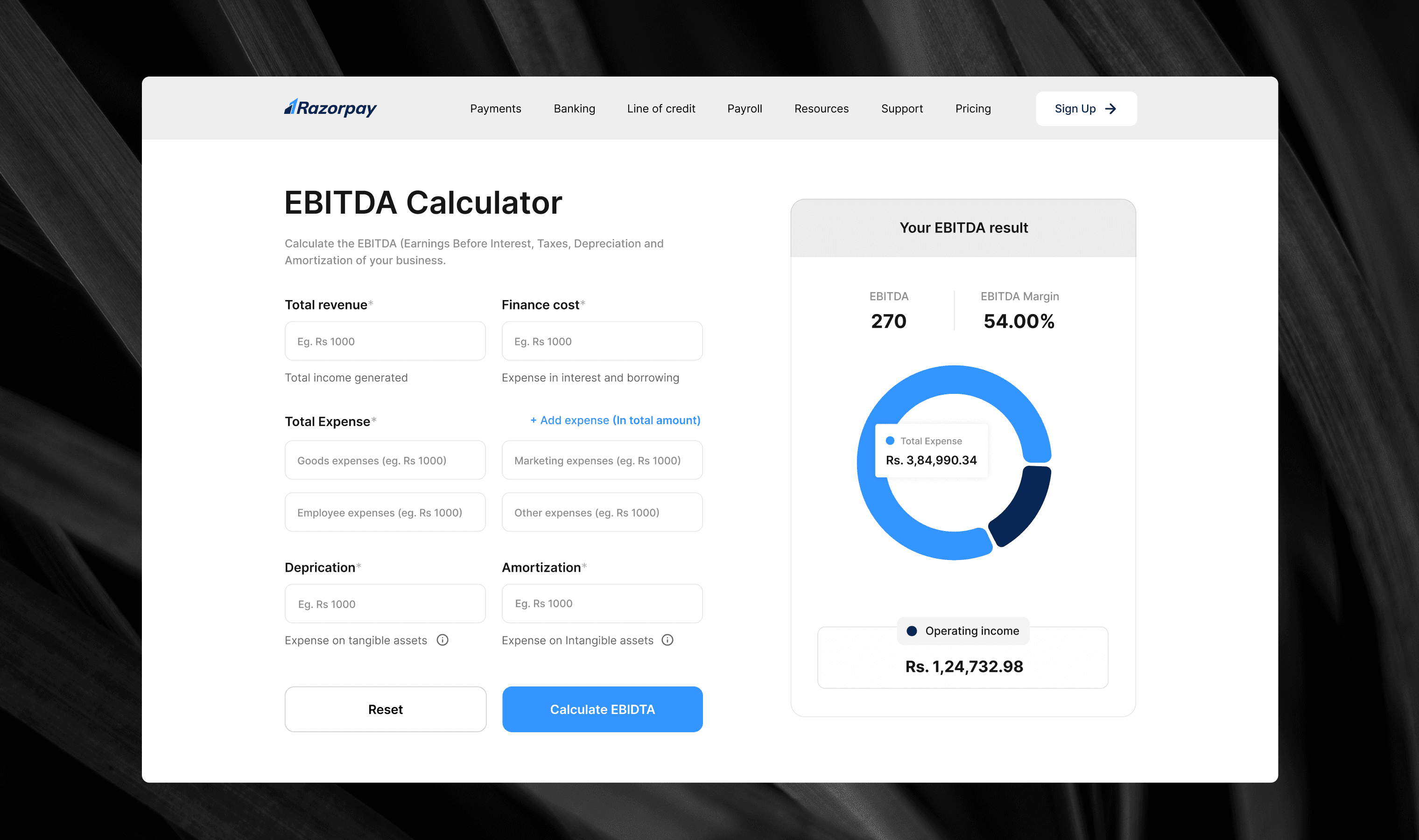
Users enter their details and scroll down to click "Calculate EBITDA", then scroll back up to view the results.
Inline descriptions are added for complex financial terms like Depreciation and Amortization, helping users who may not be familiar with such terminology.
Iteration 1
Gaps, challenges and problems
Too Many Input Fields - That's a high cognitive load upfront with no progressive disclosure.
Confusing Dual Entry System - Do I enter the total OR the breakdown? Do they add up automatically?
All or nothing experience - There's no indication of which fields are optional vs truly required
Reset is too prominent - Having a full width reset button right below Calculate is a dangerous placement, easy to accidentally wipe all entered data.
Iteration 2
(Rejected)
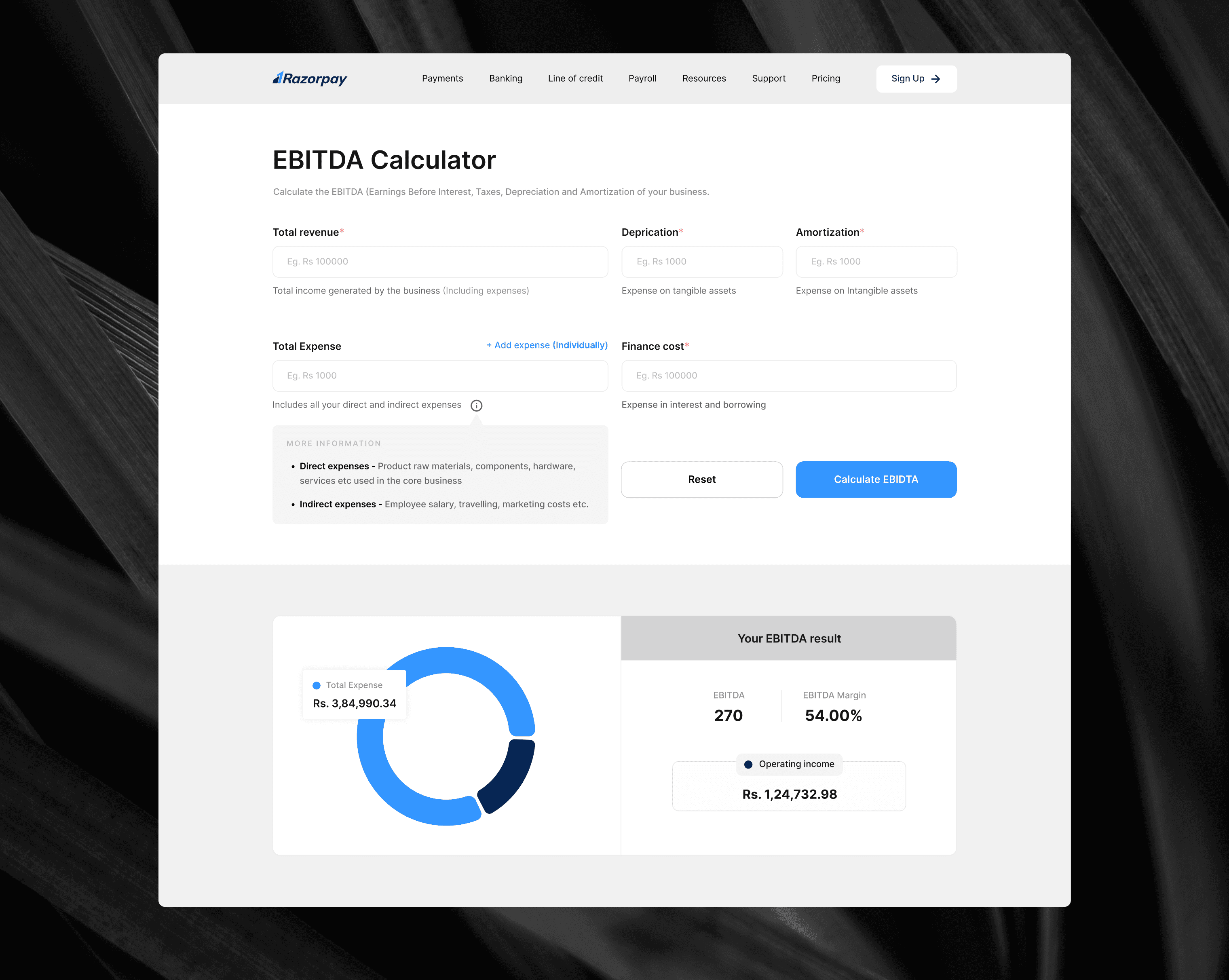
To eliminate the scrolling issue, the form was redesigned so that all input fields are visible upfront in a single view. Users can fill in their details and see the results directly below, without needing to scroll up or down at any point during the interaction.
Iteration 2
Gaps, challenges and problems
No Logical Order of Fields - The fields are not arranged in a natural sequence, there is no clear flow guiding the user on what to fill in first.
Fields scattered across the screen - Forcing the user's eye to jump left, right and across columns
Unrelated fields placed right side by side - This grouping feels arbitrary and confusing.
No visual grouping - making it hard for users to understand the structure of the form
Iteration 3
(Rejected)
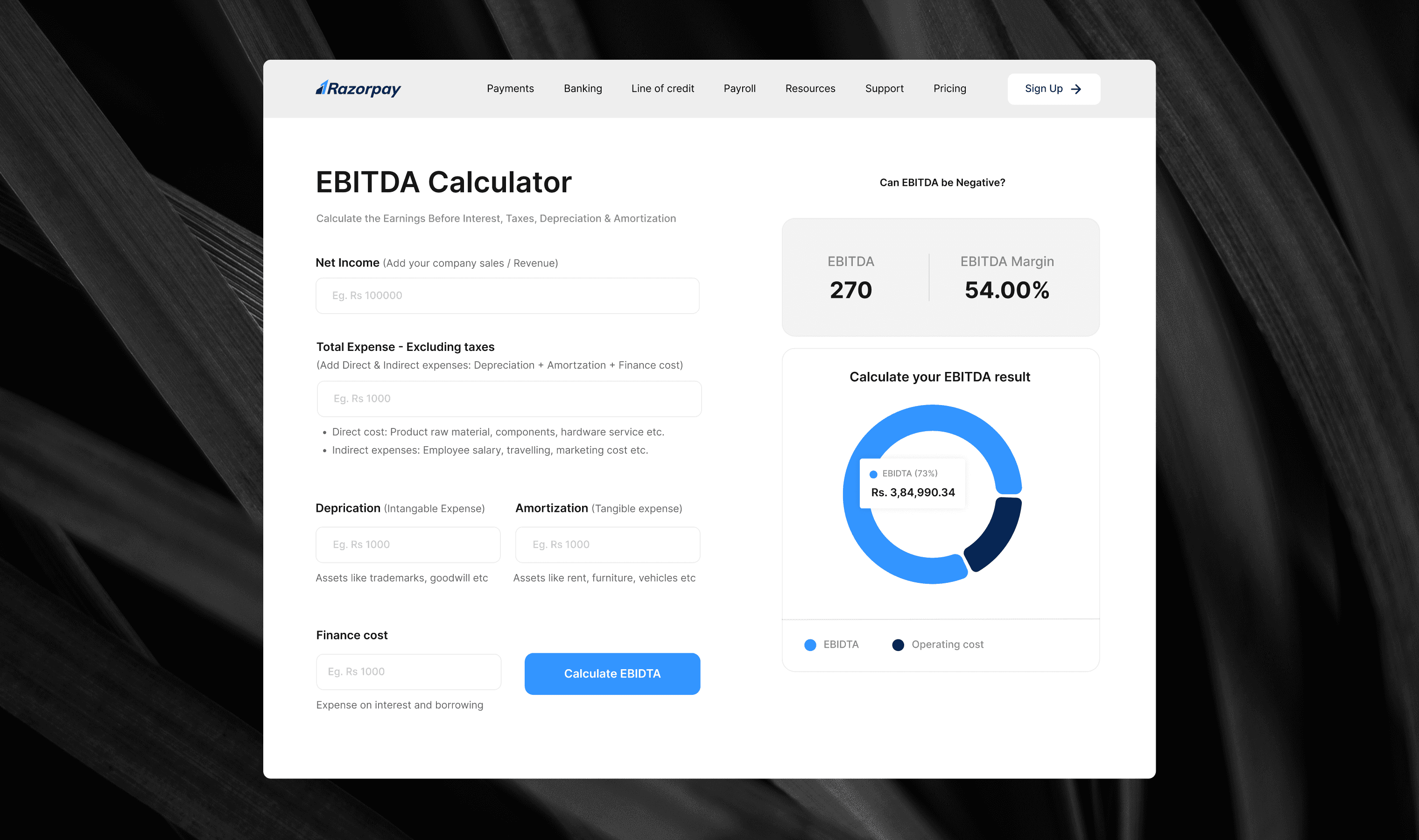
Version 3 attempted to surface important information upfront rather than hiding it behind tooltip icons, adding inline descriptions and bullet points to help users better understand what each field required.
Iteration 3
Gaps, challenges and problems
Long descriptions and bullet points scattered throughout the layout made the form feel very text heavy
The additional text competed for attention alongside the input field
While the intent to educate users was right, the execution made the form feel overwhelming and cluttered
Version 4
(Final Direction)
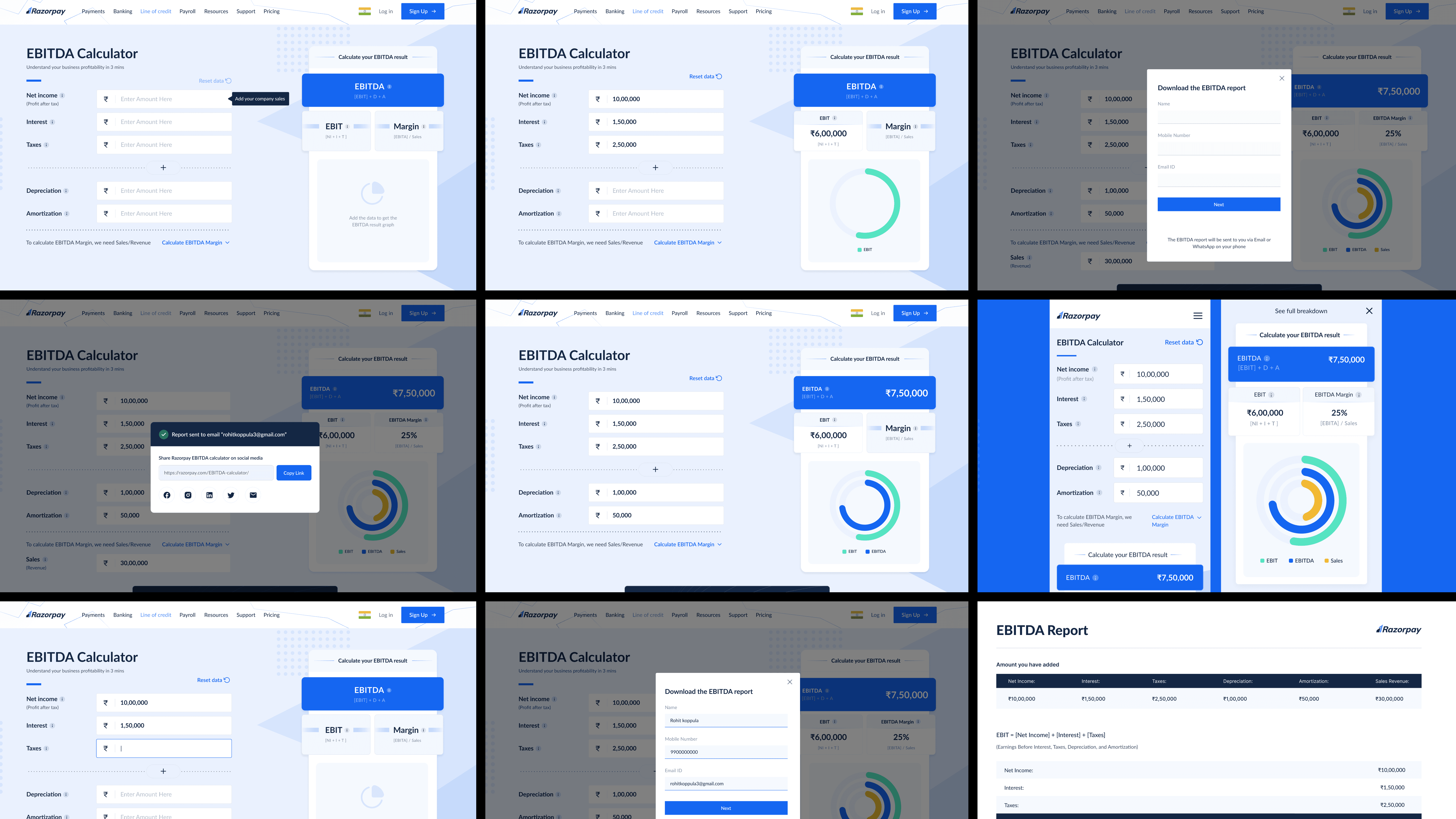
No text heavy design yet communicating the info when the text field is clicked.
Highlighting the EBITDA results, EBIT and margin.
Added small details - how did we calculate and interlinked in the left side.
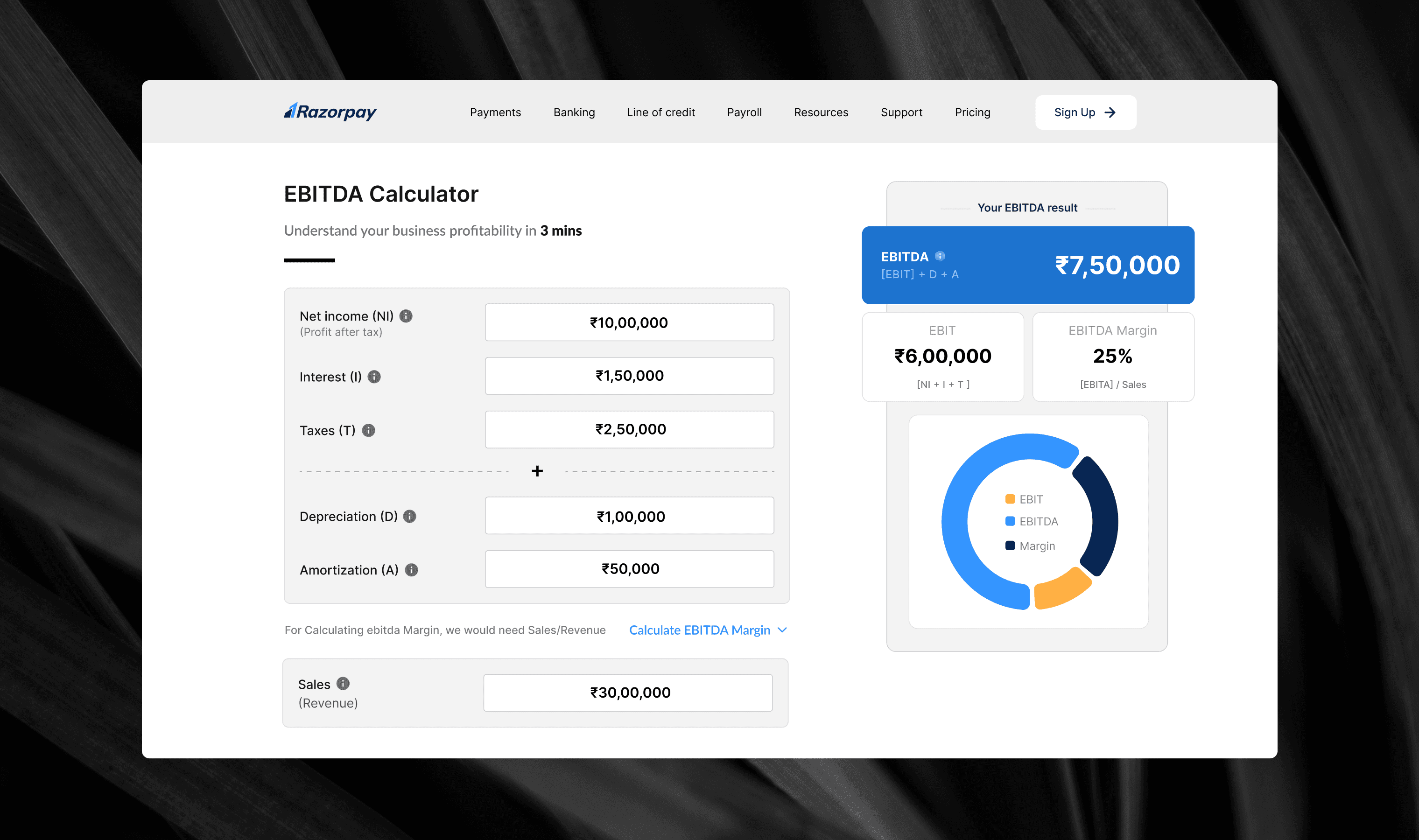
Final- Iteration 4
Solutions implemented
Clean and structured form
Smart visual grouping
Information without clutter
Formula shown in results
Progressive disclosure for margin
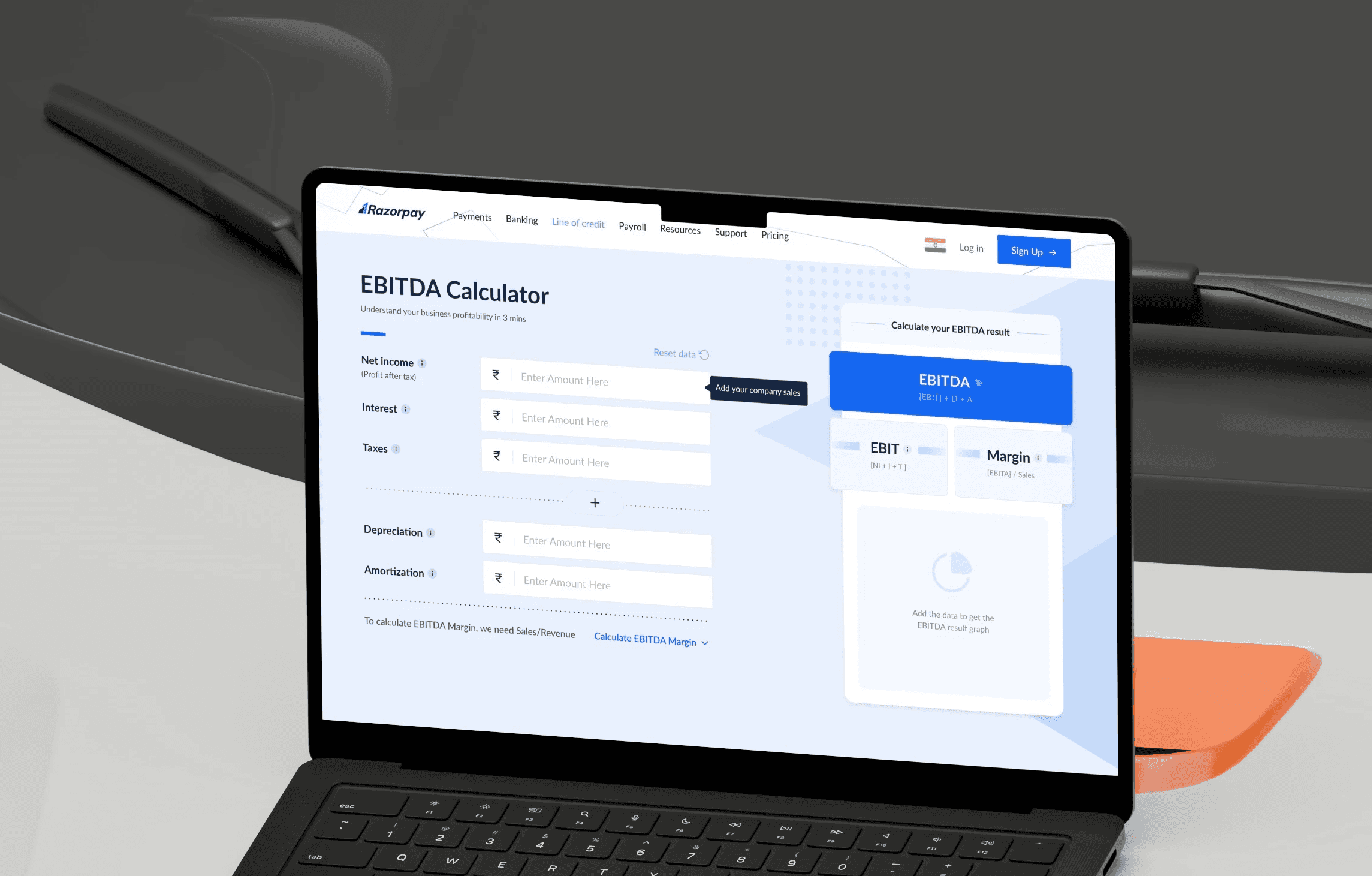
Additional sections added
Downloadable EBITDA result
Discover other products
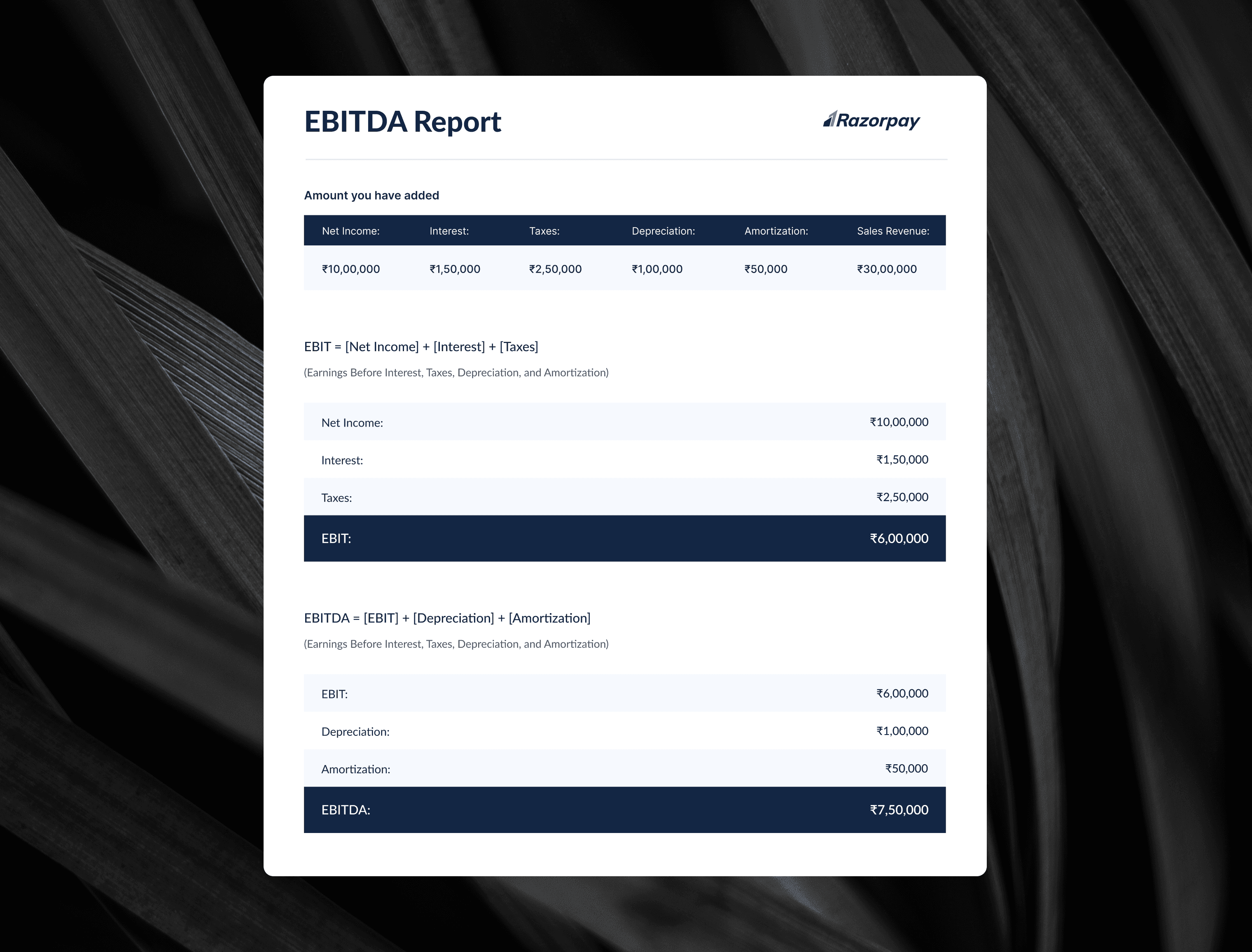
EBITDA report
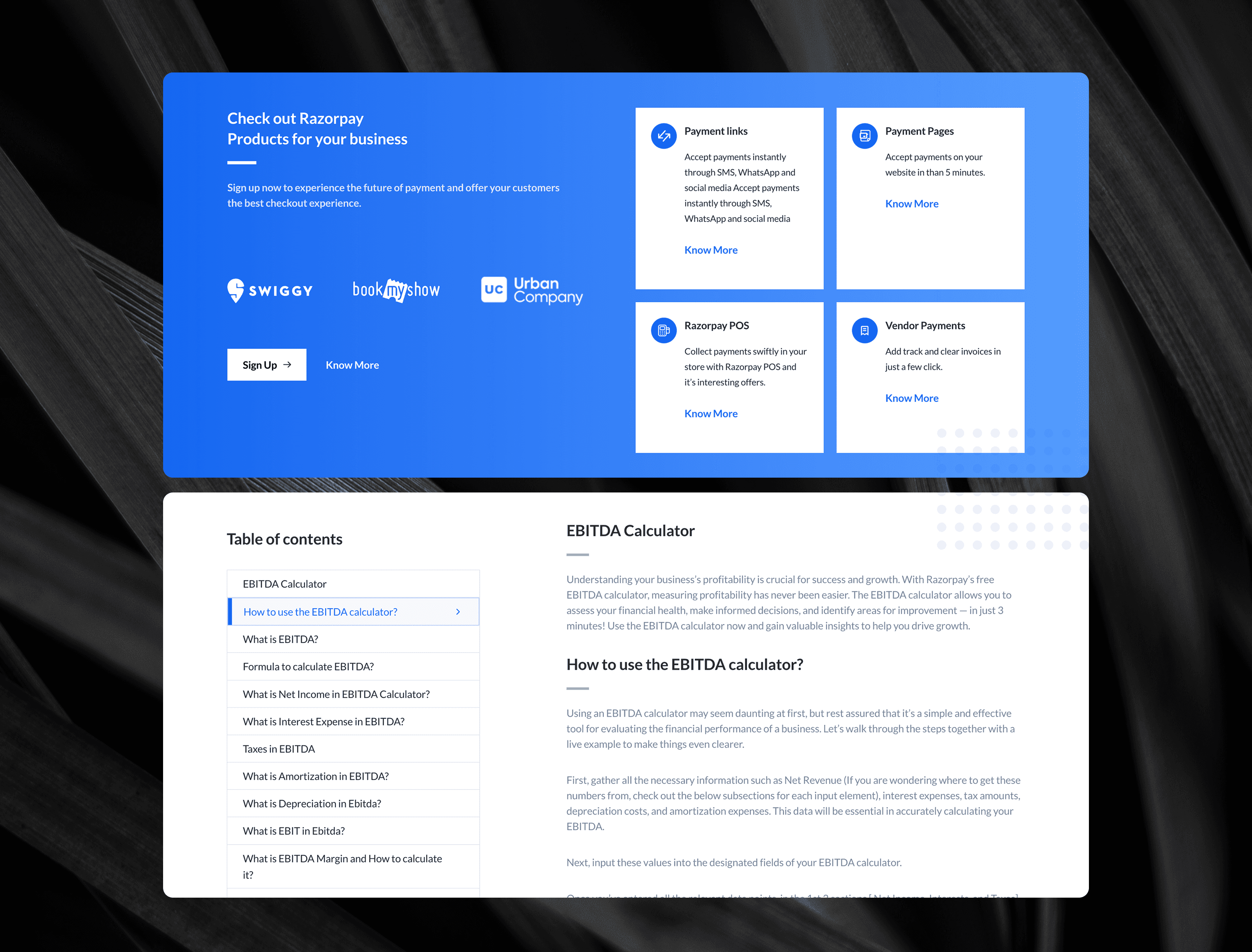
Discover other products
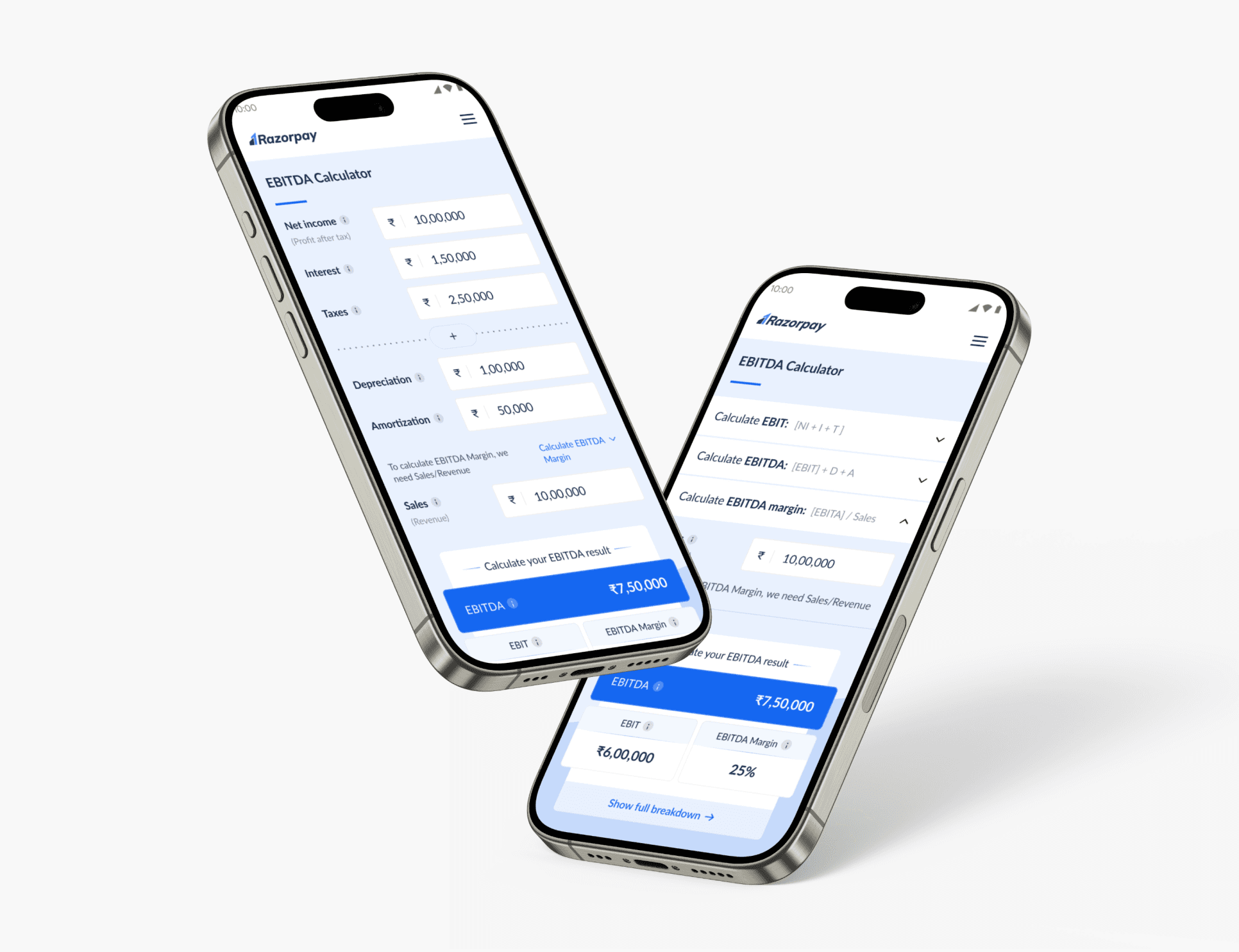
Mobile version
Since a significant portion of users access the calculator on mobile, a responsive mobile version was designed alongside the desktop. Key adaptations included:
Form stacks into a single column layout for easy top to bottom filling
Results appear directly below the form showing EBITDA, EBIT and EBITDA Margin at a glance
Show full breakdown link opens a bottom sheet overlay with the detailed chart
Bottom sheet can be dismissed with a close button keeping the interface clean.
"i" tooltips icons carried over from desktop for contextual help on complex terms
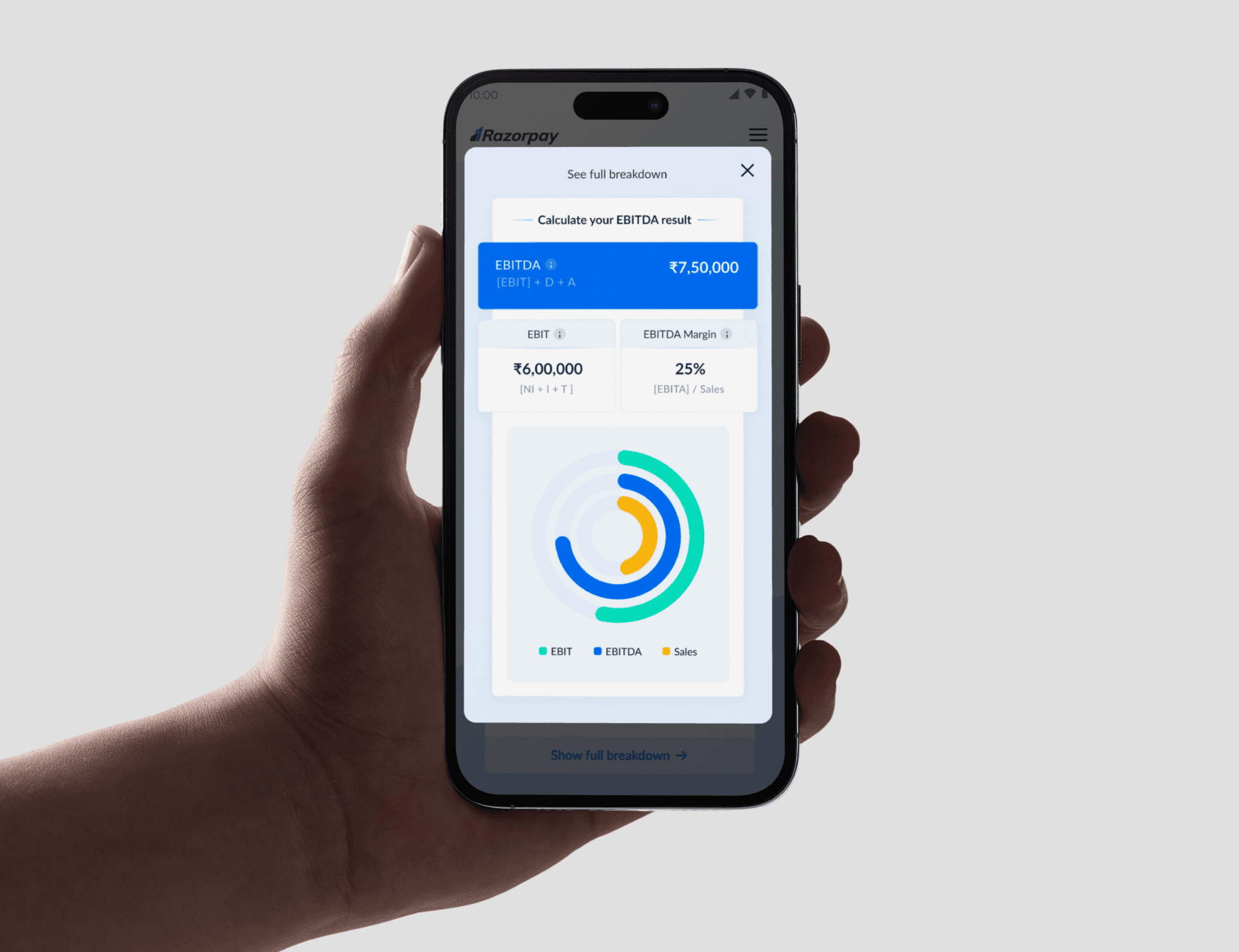
EBITDA Calculator - In mobile
What i'd improve
Make it more outcome driven
Key learnings
#1
Breaking EBITDA into simple fields made a complex calculation feel approachable
#2
Instand calculation + Visual output can reassure user that they are in the right track
#3
Clean layout, spacing and structure directly impact credibility.
#4
Small info icons and labels can help users understand terms without leaving the flow.